Nano Banana
Nano Banana vs Traditional AI Art: Why Conversational Editing Feels Different
Nano Banana AI4 min read
Contents+
People searching Nano Banana vs traditional AI art usually already know how to generate a picture. The stuck point is what comes next: the frame is almost right, but every full redraw scrambles the parts you liked. This piece contrasts classic one-shot generation with Nano Banana (Gemini 2.5 Flash Image) conversational image editing—and when each rhythm actually helps.
What “traditional AI art” means here
In this comparison, the traditional path looks like:
- Write a long prompt
- Generate once
- Dislike the result → redraw the whole image, change the seed, or pile on more keywords and roll again
That loop is excellent for exploring style and composition. It is expensive for detail work: subject, background, light, and negative constraints all ride in one prompt, so a small tweak can disturb everything.
The Nano Banana path: generate, then chat
Conversational retouching in Nano Banana splits the job:
- Text-to-image or upload to establish the current frame (context)
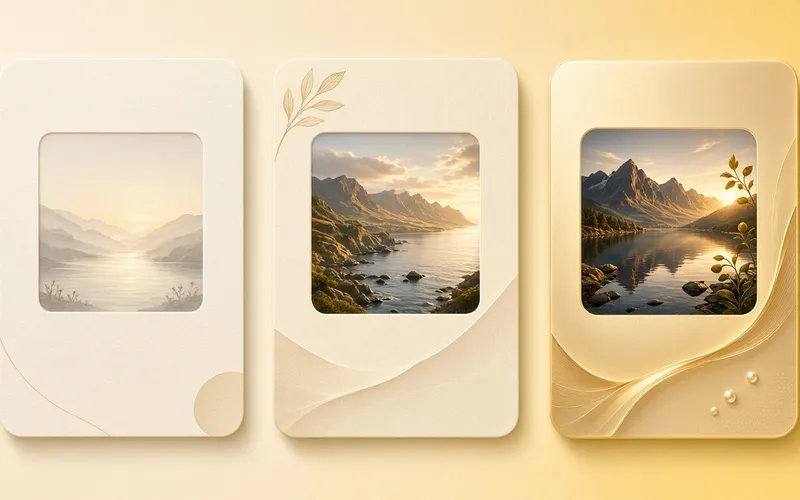
- Keep directing in natural language—swap a background, soften light, remove a passerby, recolor a prop
The intended experience: keep what you did not name; change what you asked for. That is why it feels less like gambling and more like talking a still into shape.
Side-by-side comparison
| Dimension | Traditional AI art (one-shot) | Nano Banana conversational editing |
|---|---|---|
| Iteration | Full redraw or rewrite a mega-prompt | Short multi-turn notes on the same frame |
| Local control | Weak—easy to disturb the whole image | Stronger once you name the object |
| Learning curve | Keyword stacking and parameter tricks | Spoken direction, closer to directing on set |
| Best stage | Style scouting, first-frame divergence | Convergence and polish near a shippable still |
| Cost of failure | High (whole frame discarded) | Lower (stay in context; step back a turn) |
In one line: one-shot bets on saying everything correctly once; conversational retouching bets on fixing one thing correctly per turn.
Where conversational retouching actually shines
1. Continuous context
You do not restate face, fabric, and camera language every round. The current image is the brief, so instructions can stay short and sharp.
2. Clearer local intent
“Remove the glare on the left backpack” or “paint only the wall a soft gray” maps to a retouch workflow better than rewriting the entire prompt—core Nano Banana conversational image editing behavior.
3. A closed loop with generation
Scout a first frame that points the right direction, then chat to converge. That usually beats hunting one perfect prompt. It is the practical gap between conversational retouching and traditional AI image generation roulette.
When one-shot still wins
- You are casting styles and need volume of divergence
- Composition is wrong at the root—local edits will not save it
- You only need a rough “what if,” not stable detail
Regenerate cleanly in those cases. Once direction locks, switch back to Nano Banana dialogue for polish.
An 8-minute contrast drill
- Generate one image in Nano Banana from a single prompt.
- Path A (traditional mindset): fold “golden-hour beach background + softer light + remove passersby” into a new mega-prompt and redraw everything.
- Path B (conversational): keep the frame; change one ask per turn across three turns.
- Compare: which path lands closer to your goal, and which drifts harder?
Most people feel Path B win on subject consistency and control—exactly what conversational image editing sells.
Three habits that keep chat edits from drifting
- One focus per turn — do not stack five changes in one sentence.
- Say what to keep — add “leave other areas unchanged” when needed.
- Regenerate when direction is wrong — do not patch a bad composition for ten turns.
Conclusion
Nano Banana vs traditional AI art is less about a model nickname and more about workflow:
- Traditional: say it all, redraw to explore
- Nano Banana: generate, then conversational retouching to converge turn by turn
If you want a steadier conversational image editing loop with Gemini 2.5 Flash Image, open nanobanana-ai.us, enter the workbench, and run the scout → single-point multi-turn drill above.
Workbench path example:
https://app.nanobanana-ai.us/en/generate/image-tools/nano/