Image Editing
Conversational Image Editing with Nano Banana: Iterate Like a Chat
Nano Banana AI3 min read
Contents+
Traditional retouching often means layers, masks, and tool fluency. Nano Banana (Gemini 2.5 Flash Image) offers another path: generate or upload an image, then talk the edit into place—turn by turn—while the model keeps visual context.
Why Conversational Editing Matters
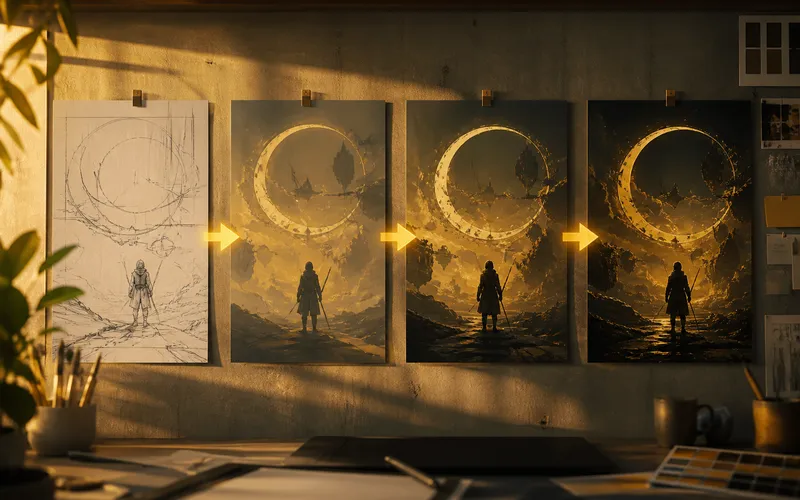
Creative decisions are rarely final on the first frame. You discover the right background after you see the subject. You notice a color clash only after the composition locks. Chat-style iteration matches that discovery loop:
- Start from a usable draft
- Change one intention per message
- Preserve what already works
That lowers the cost of exploration for marketing variants, character poses, and product placements.
A Reliable Edit Loop
Turn 0 — Establish the base
Generate from a clear prompt, or upload a photo/render you want to transform.
Turn 1 — Structural change
Example: “Replace the background with a minimal concrete studio, keep the person and clothing unchanged.”
Turn 2 — Light and color
Example: “Cool the ambient light slightly and keep skin tones natural.”
Turn 3 — Local cleanup
Example: “Remove the logo on the mug and the crease on the tablecloth.”
Stop when the frame is good enough to export—or branch a new series from this locked look.
Local Edits That Stick
Name objects the way a human would point at them:
- “the red backpack on the left”
- “the reflection on the window”
- “the passerby behind the subject”
Vague asks (“fix the vibe”) invite global drift. Precise nouns keep Nano Banana’s Local Edit behavior focused.
Multi-Image Blend During Edits
You can introduce new references mid-conversation: “Use the product bottle from the second image; place it on the table from the current scene.” Spell out what to keep and what to replace. Blend works best when each input has a job.
Habits That Prevent Drift
- One focus per turn — background or outfit or color, not all three.
- Explicit keep-language — “do not change the face” / “preserve product label.”
- Re-anchor with the same reference when building a series.
- Restart only when composition is wrong — do not restart for small polish.
When to Prefer Conversation Over Regenerating
Regenerate when the subject, camera, or story is wrong. Converse when the bones are right and you need:
- Background swaps
- Color and light tuning
- Object removal/addition
- Outfit or prop changes
- Consistency tweaks across a set
Example Mini Session
- Base: “Portrait of a barista in a sunlit café, medium shot, photoreal.”
- Edit: “Change only the café to a rainy night street window; keep pose and clothing.”
- Edit: “Add soft neon reflections on the glass; keep the face sharp.”
- Edit: “Remove the distant pedestrian on the right.”
Four turns, one coherent final—without opening a traditional editor.
Conversational editing is not magic; it is iterative direction. Pair it with solid prompts and character-consistency practices, and Nano Banana becomes a daily workbench tool, not just a one-shot generator. Start from the workbench linked on nanobanana-ai.us.