Text-to-Image
Turn detailed natural-language descriptions into images while controlling subject, composition, lighting, style, and visual details.
Nano Banana 2.1 Model Guide
Explore generation, references, iterative editing and text layouts.
Nano Banana 2.1 is an update to Nano Banana 2 for efficient image generation and conversational editing. Describe an idea, guide subjects and style with references, then refine the details through iterative edits. The model supports 1K, 2K and 4K output.
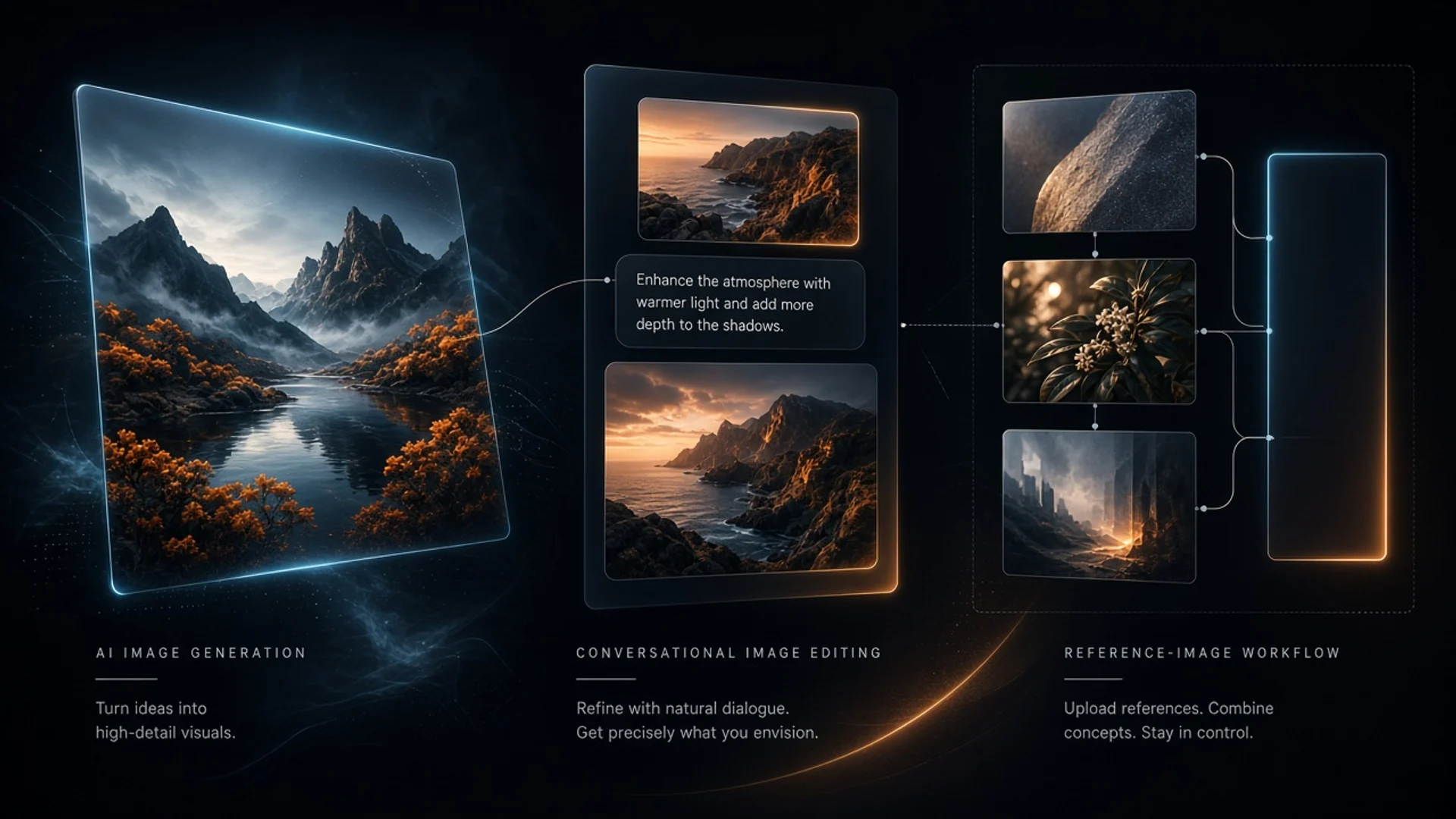
Nano Banana 2.1 is the latest high-efficiency image generation and conversational editing model in the Nano Banana family. It is an update to Nano Banana 2 and is designed to deliver stronger visual quality and prompt adherence while keeping fast, efficient image creation workflows.
The model can work with text and images, making it useful for both generating new visuals and refining existing ones. It supports 1K, 2K, and 4K image output, multi-image reference workflows, improved text rendering, and configurable Thinking levels.
Nano Banana 2.1 combines fast image generation with conversational editing and reference-driven workflows, giving creators more control over both the first generation and later revisions.
Turn detailed natural-language descriptions into images while controlling subject, composition, lighting, style, and visual details.
Continue editing an existing image with natural-language instructions instead of rebuilding the entire prompt from scratch.
Combine multiple reference images to guide a single generation or editing task.
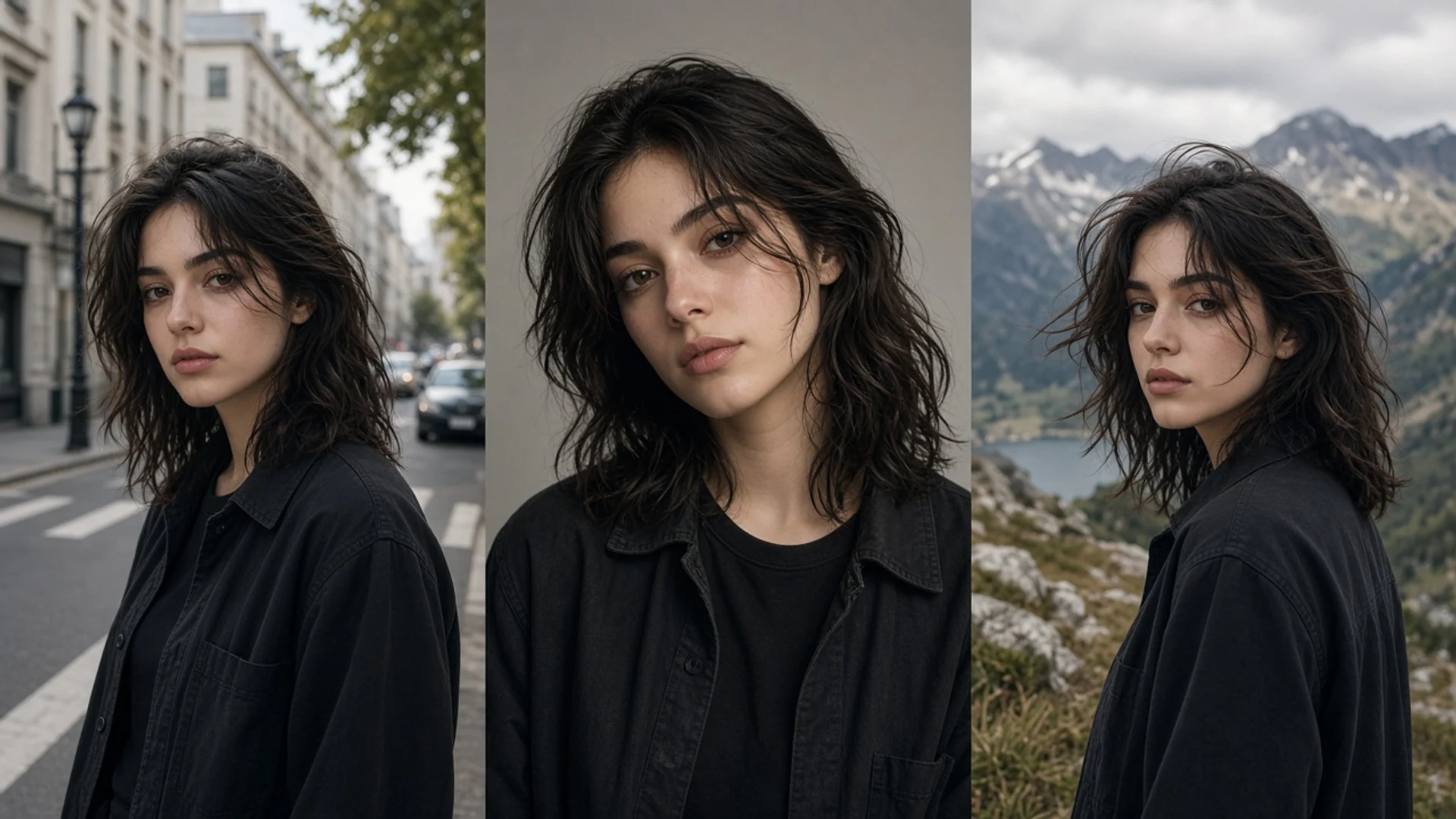
Keep important characters and subjects recognizable across multiple images, scenes, and editing turns.
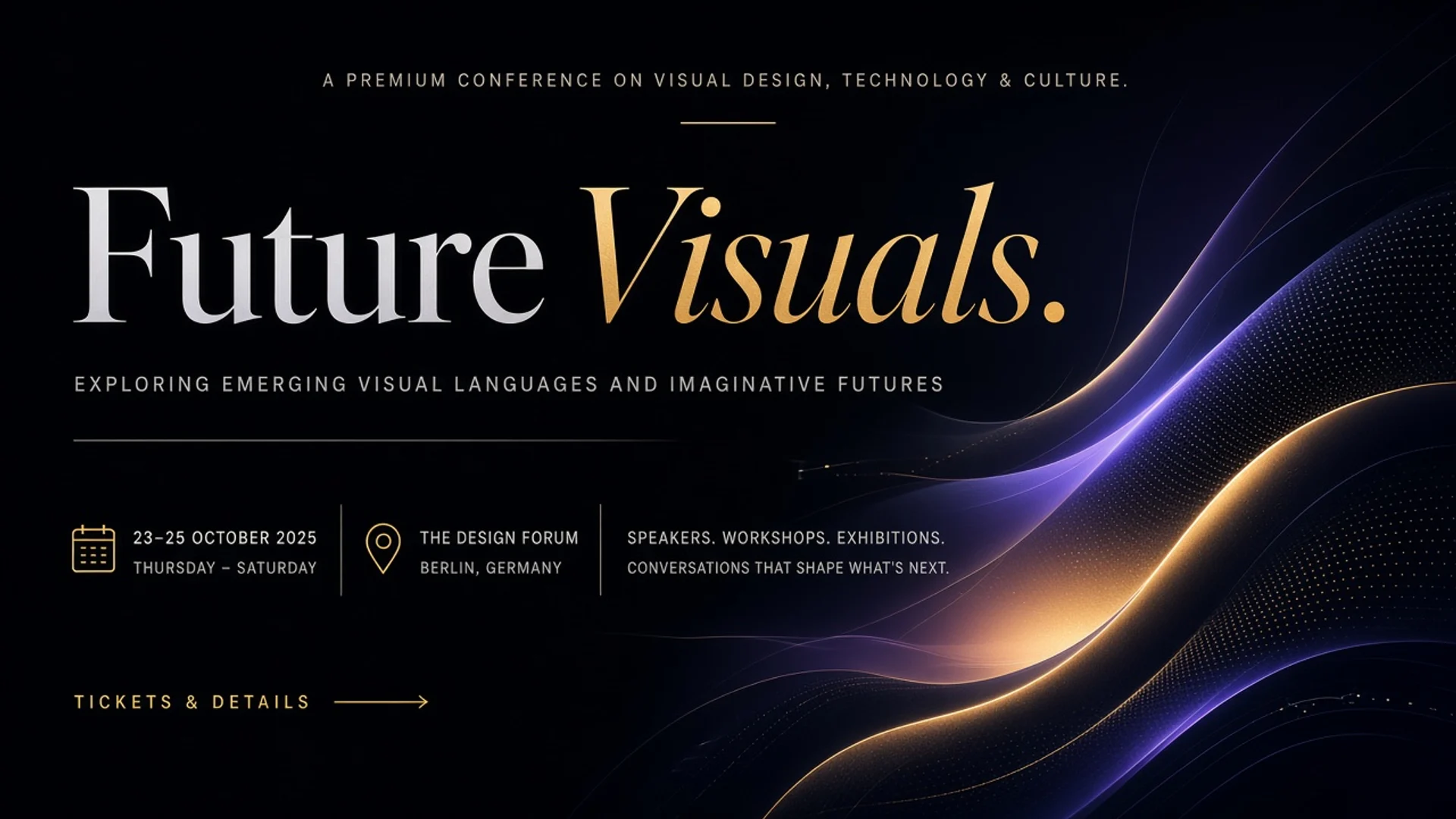
Create posters, diagrams, social graphics, and other visuals where accurate text placement matters.
Choose from 1K, 2K, or 4K image output depending on the detail and final use case you need.
Start with a clear description of what you want to create. Nano Banana 2.1 can interpret the subject, visual style, composition, lighting, environment, and other details from a natural-language prompt.
For more predictable results, describe the most important visual elements first, then add supporting details such as camera perspective, mood, materials, colors, and background.
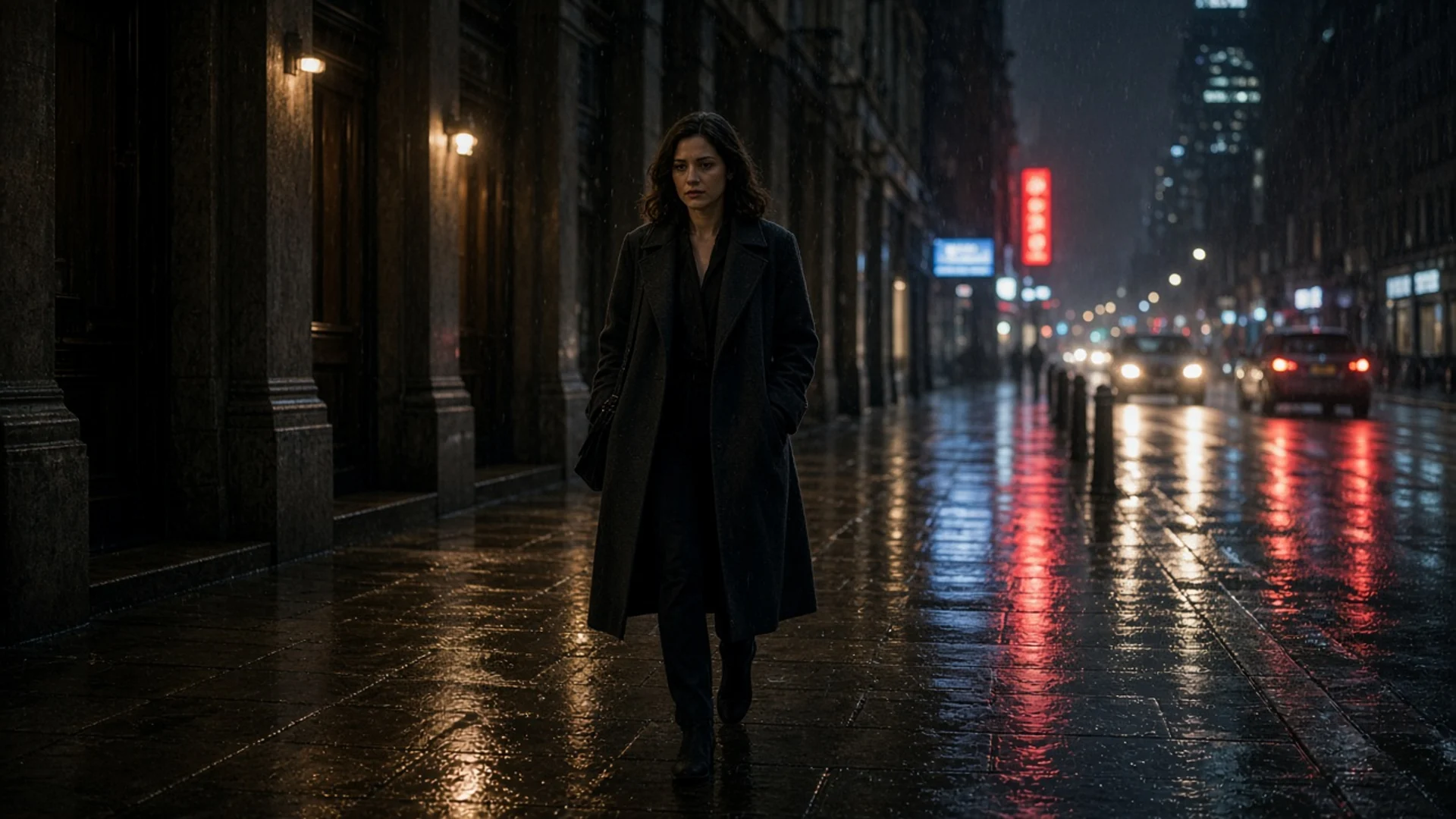
Prompt
Create a cinematic urban night scene with a person walking through rain-soaked pavement, architectural surroundings, neon reflections, realistic materials, complex depth, and controlled composition.
Illustrative example prompt.
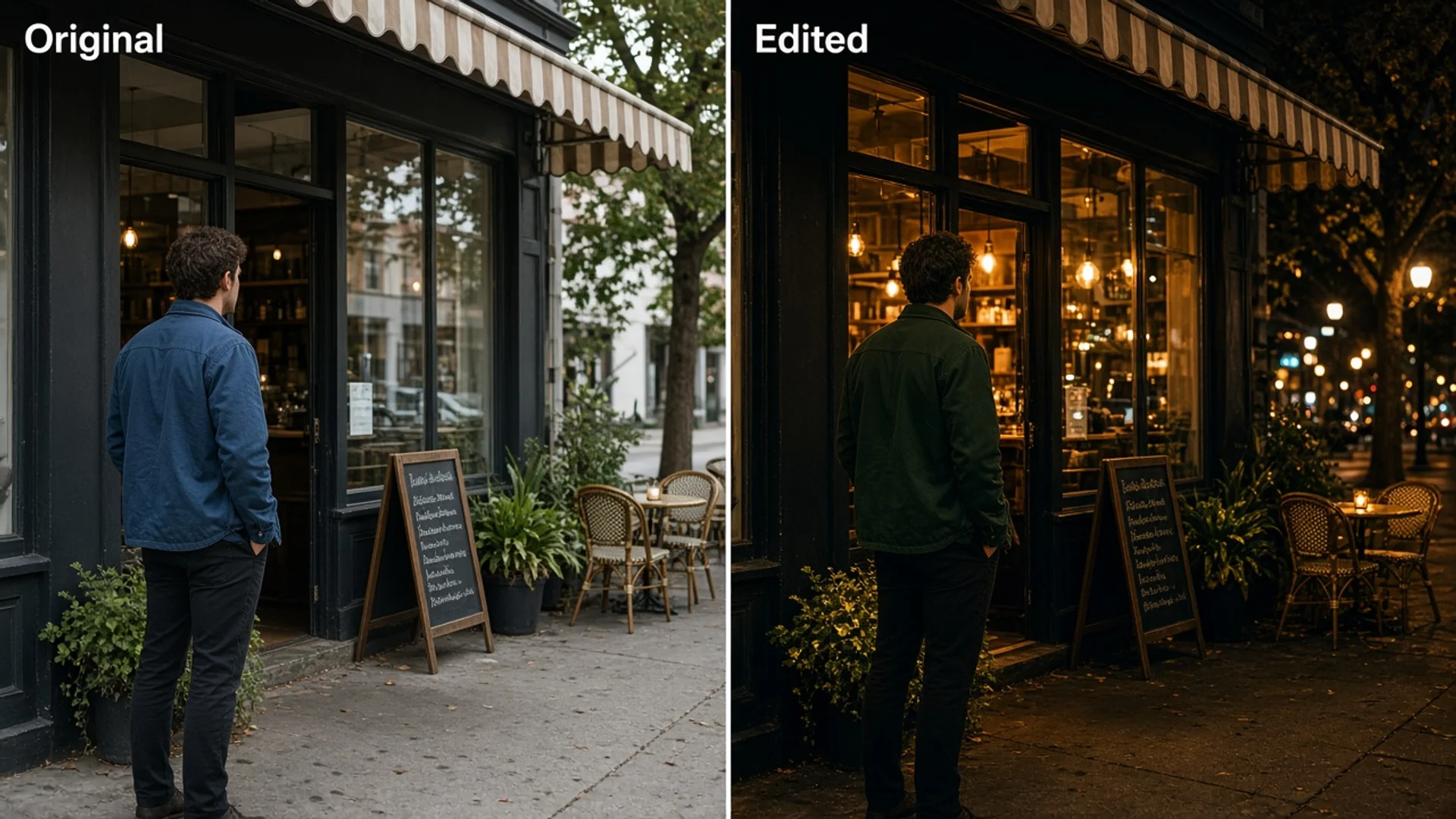
Nano Banana 2.1 can refine an existing image through natural-language instructions. Instead of rebuilding the entire prompt, describe the change you want and continue the conversation from the current image.
This makes iterative workflows useful for tasks such as changing backgrounds, adjusting clothing, refining lighting, modifying objects, or creating alternate versions of an existing visual.
Reference images can help guide the appearance of people, products, objects, and other important visual elements. Nano Banana 2.1 supports multi-image fusion with up to 14 reference images.
Its consistency capabilities can also help maintain recognizable characters and subjects across multiple generated images, including workflows involving up to four characters.
Nano Banana 2.1 improves text rendering and infographic layout accuracy, making it useful for posters, diagrams, social graphics, and other text-heavy visuals.
The model supports 1K, 2K, and 4K output. Higher resolutions are useful when the final image needs more detail, cropping flexibility, or a larger visual presentation.
Nano Banana 2.1 supports configurable Thinking levels: minimal, medium, and high. Different levels can be used depending on how much reasoning the generation task requires.
For straightforward visual requests, a lighter setting can be sufficient. More complex layouts, multiple constraints, or detailed visual instructions may benefit from deeper thinking.
The three models target different creative priorities. Nano Banana 2.1 is the current high-efficiency choice, Nano Banana 2 is the previous-generation high-efficiency model, and Nano Banana Pro focuses on professional visual production and complex design tasks.
| Attribute | Nano Banana 2.1 | Nano Banana 2 | Nano Banana Pro |
|---|---|---|---|
| Focus | Efficient generation and iterative editing | Efficient generation and existing workflows | Complex design and precise control |
| Text to image | Supported | Supported | Supported |
| Conversational editing | Supported | Supported | Supported |
| Multiple references | Supported | Supported | Supported |
| 4K model output | Supported | Supported | Supported |
| Text inside images | Improved text and infographic layouts | Text generation supported | Text and complex layouts |
| Consider for | Everyday generation and refinement | Existing workflows or version comparison | Posters, products and complex design |
01
Open the Nano Banana workbench and describe your image goal and key requirements in natural language.
02
Add reference images or clarify important visual details when needed.
03
Review the result and continue editing through natural-language instructions.
Good Nano Banana 2.1 prompts do not need to be complicated. Start with the subject and goal, then add the details that matter most to the final image.
Create a premium studio product photo of a matte black wireless speaker on a light stone surface. Use soft directional lighting from the upper left, subtle shadows, a warm neutral background, realistic materials, clean composition, and commercial photography quality. Keep the speaker as the clear focal point.
Use the provided character reference as the identity anchor. Keep the same facial features, hairstyle, clothing style, and overall proportions. Create a cinematic street scene at night with the character walking through a rain-soaked city, neon reflections on the pavement, realistic lighting, and a natural photographic perspective.
Create a modern promotional poster for a fictional design conference. Place the exact headline “Future Visuals” at the top, a short subtitle beneath it, and a clean editorial layout with strong typography, balanced spacing, and a futuristic abstract background. Keep all text legible and correctly spelled.
Explore the main Nano Banana AI image generation and editing experience.
Explore the existing Nano Banana 2 handbook for model capabilities and practical workflows.
A beginner-friendly guide to understanding and using Nano Banana 2.
Explore practical prompt templates for image generation workflows.
Put these Nano Banana 2.1 ideas into your next image: prepare a clear prompt, open the Nano Banana workbench and refine the result step by step.